
You’ve heard a lot about Proton and all the different versions, but how do you actually change the version of Proton used for games? Here’s all you need to know.
Why might you need to change the Proton version? Certain versions may just work better. Like Proton Experimental, which pulls in fixes much quicker than the stable numbered versions of Proton, which at times may be needed. Valve usually set the specific version of Proton that’s best but not always.
Warnings: if you keep changing the Proton version used, it can trip up DRM like Denuvo and leave you locked out for a day. Additionally, if the game you’re swapping does not have cloud saves, you could end up losing your saves.
Steam Deck / SteamOS
For SteamOS you can do it directly in Gaming Mode.
Simply pick the game you wish to change in your Steam Library and go along to the little cog icon and into the Properties.
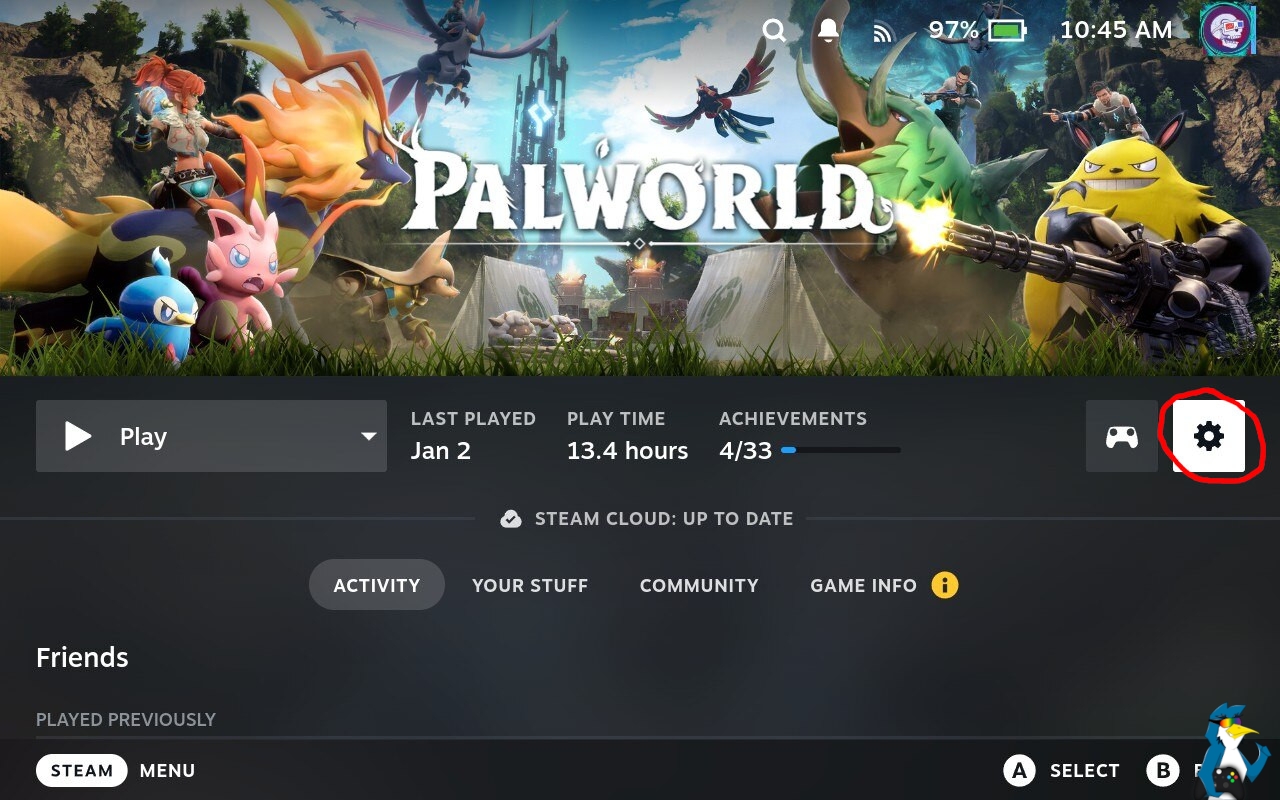
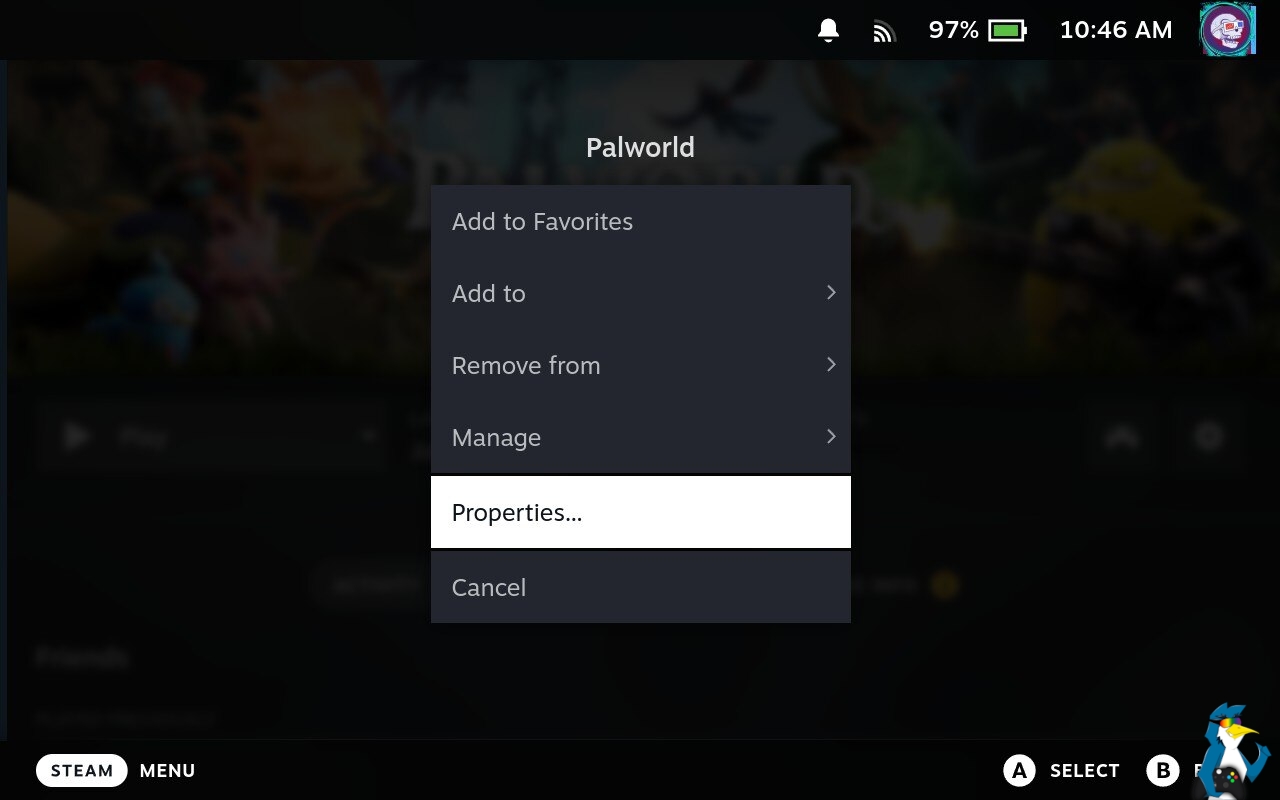
From there you want to select the Compatibility menu, and then pop a tick in the box that says “Force the use of a specific Steam Play compatibility tool”. This will then make a drop-down box appear and you can select whatever version of Proton you wish to use.
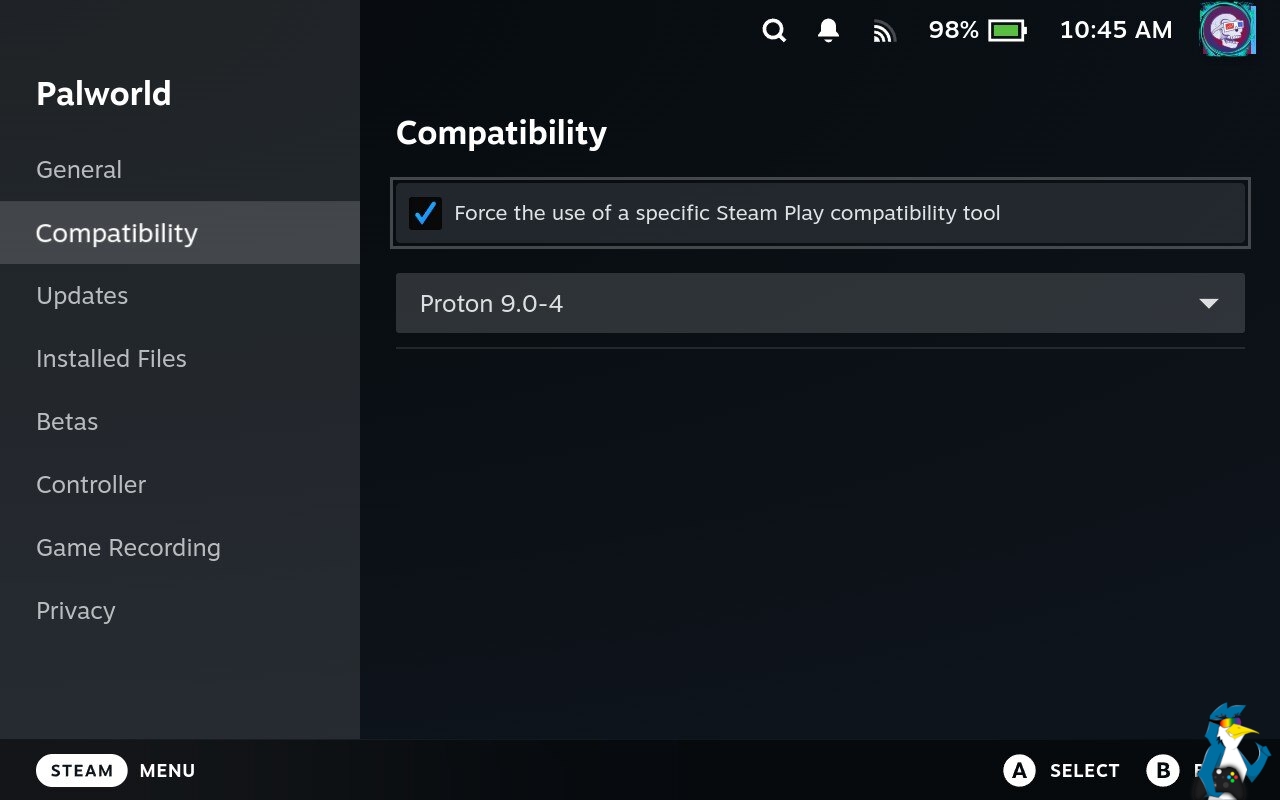
If you wish to revert to the version of Proton that Valve have set for a game, simply uncheck the box.
Desktop Linux
For Desktop Linux just right click on a game in your Steam Library, go to Properties, Compatibility, tick the box that says “Force the use of a specific Steam Play compatibility tool” and select a version of Proton from the drop-down box that appears.


If you wish to revert to the version of Proton that Valve have set for a game, simply uncheck the box.
Here’s a video on Desktop Linux too:
That’s all you need to do! Happy gaming!
Don’t forget to also check out these guides: